
Best Minecraft Resource Packs by Style (and How to Stack Them)
The best Minecraft resource packs by style, from vanilla-plus and 64x detail to simplistic, PvP, animation and dark GUI packs, plus load order tips.
A resource pack is the cheapest makeover Minecraft can get: no reinstall, no new world, and you can toggle it in seconds. The hard part is choosing. "Best" depends on whether you want to keep the vanilla look, crank up the detail, or simply see more clearly in a fight.
Here are the Modrinth resource packs worth your time, grouped by style, with notes on who each one suits, which mods it needs and how to stack several without them fighting each other.
Current top packs
This ranking updates automatically from the latest Modrinth download data:
 Fresh Animations52.9M downloads · 26.3
 Translations for Sodium23.7M downloads · 26.3
 Motschen's Better Leaves21.9M downloads · 26.3
 Chat Reporting Helper18.4M downloads · 26.3
 Low On Fire18M downloads · 26.3
Vanilla-plus: better, but still Minecraft
The most popular category for a reason: these packs never make your world feel foreign, and they play nicely with almost any modpack.
Fresh Animations
Fresh Animations gives mobs life: they blink, turn their heads and move in a way that looks straight out of a Mojang trailer. Textures stay close to vanilla, so it layers over nearly anything. The catch is that it requires the Entity Model Features and Entity Texture Features mods (or OptiFine). Want more? Fresh Animations: Extensions bundles the official add-ons; load it above Fresh Animations.

Motschen's Better Leaves
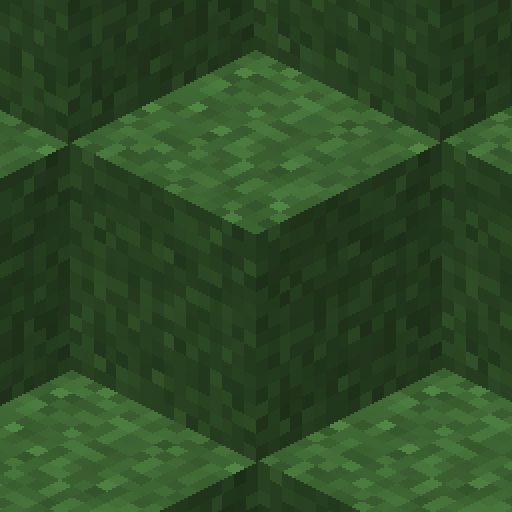
Vanilla leaves look like flat green cubes. Better Leaves makes canopies fuller and softer while staying friendly to mods and performance. It is one of those packs that belongs in almost every setup.
Fast Better Grass and Simple Grass Flowers
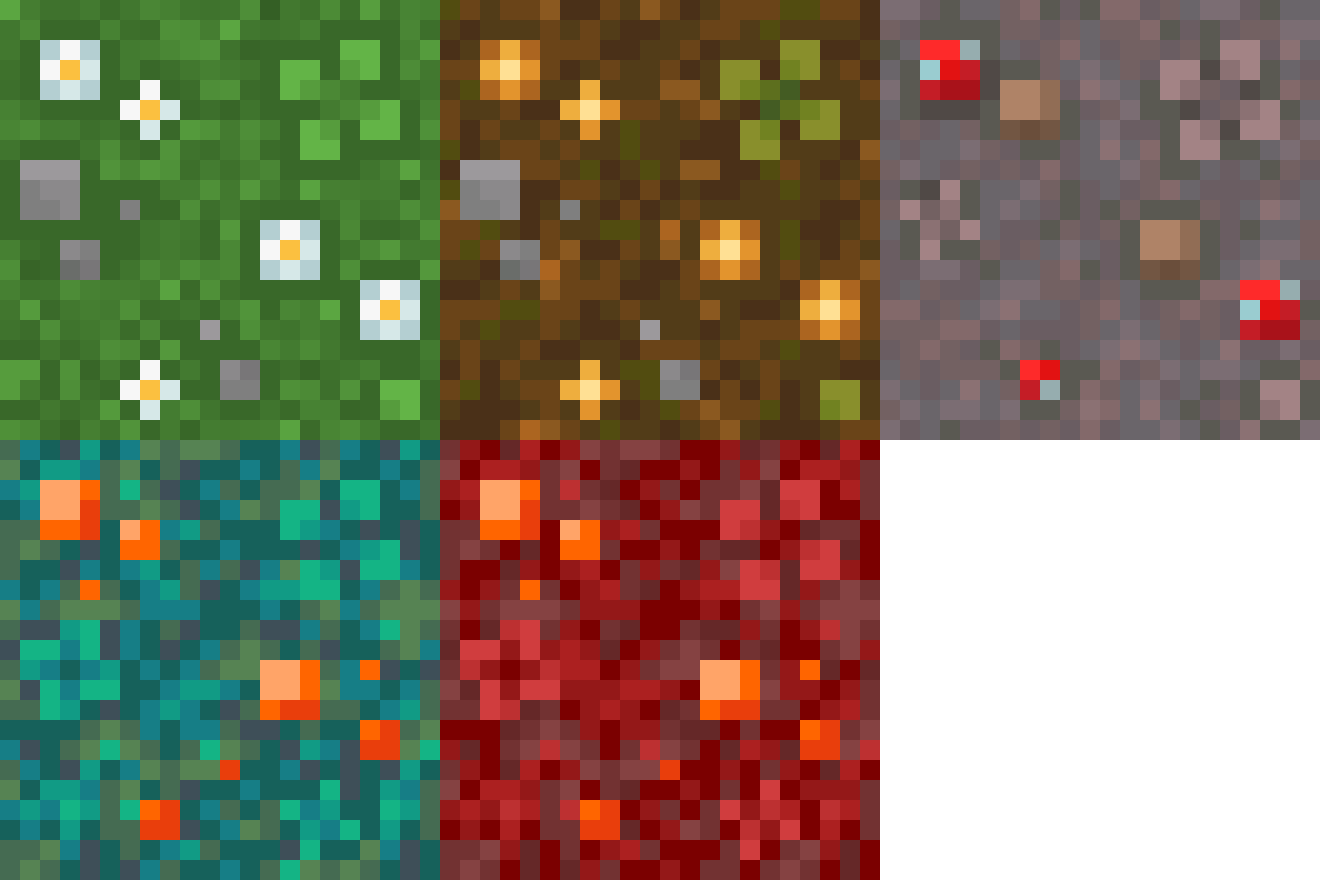
Two small packs that fix the ground. Fast Better Grass uses the top grass texture on block sides, so hills look seamless. Simple Grass Flowers sprinkles flowers, clovers and pebbles over grass, podzol, mycelium and nylium. Both are light and stack on top of other packs.
(Bee's) Fancy Crops
Farmers, this one is for you. Fancy Crops redraws crops so fields look prettier without breaking the vanilla style, and it supports some mods too.

Higher detail and better skies
Our catalog does not include ultra-high-resolution photorealistic packs. If you are chasing a realistic look, most of it comes from shaders, not textures. See how to install shaders.
Faithful 64x
Faithful keeps the vanilla layout but redraws everything at four times the resolution, so the game looks crisper without changing its personality. A 64x pack uses more video memory than a 16x one, so test it on weaker machines.
Dramatic Skys
Dramatic Skys swaps in HD clouds and lighting for the sky and is designed to sit on top of any other pack. Custom sky features can depend on OptiFine or an equivalent mod, so check the project page for current requirements.

Simplistic
Bare Bones
Bare Bones mimics the clean, flat look of Minecraft's trailers: fewer noisy pixels, clearer shapes. Builders and video creators love it because blocks read cleanly on screen. Check the supported versions on the card, since it does not always ship for the very latest release right away.

PvP and combat: clear the screen
No pack makes you a better fighter, but removing clutter from your view genuinely helps.
- Low On Fire / Low Fire: lowers the first-person fire overlay when you are burning. Pick one.
- Low Shield: drops your shield lower so it does not block your view.
- Enchantment Outlines: adds an outline to enchanted tools so they stand out in your inventory.

New Glowing Ores
Makes ores glow and adds connected outlines so you never miss a block while mining. Heads up: many servers treat ore-visibility packs as an unfair advantage, so read the rules before using it online.
GUI packs
Default Dark Mode and Mandala's GUI
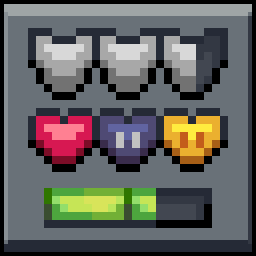
Late-night sessions with a blinding white inventory? Default Dark Mode turns menus and containers dark while keeping the familiar layout. Mandala's GUI – Dark mode only touches the interface, never blocks or items, so it pairs with any texture pack.
Enchant Icons
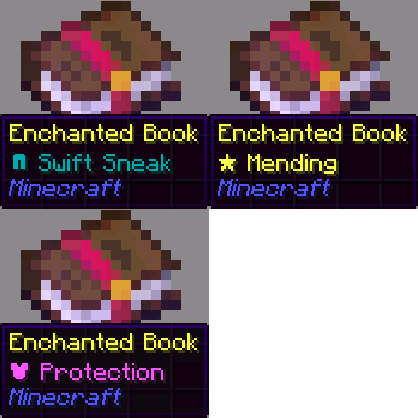
Adds icons and colors to enchantment names on books and gear. When you have a chest full of enchanted books, this saves real time.
How to install a resource pack
- Download the
.zipfrom the project card. Do not unzip it. - In game, open Options → Resource Packs → Open Pack Folder.
- Drop the
.zipinto that folder and return to the game. - Click the arrow to move the pack from Available to Selected, then hit Done.
If a pack needs mods (Fresh Animations, for example), install those first using our mod installation guide. Running shaders too? Pair them with Sodium and Iris.
Load order: stacking multiple packs
In the Selected column, packs higher up override packs below them. A sensible stack, top to bottom:
| Position | Pack type | Example |
|---|---|---|
| Top | Small tweaks, GUI | Low Fire, Default Dark Mode |
| Middle | Animations, models | Fresh Animations Extensions, Fresh Animations, Better Leaves |
| Bottom | Full texture replacement | Faithful 64x or Bare Bones |
| Last | Default (built in) |
If something does not change the way you expected, move that pack higher. And run only one full texture replacement at a time; two of them on top of each other just makes a patchwork mess.
Which pack should you pick?
- Livelier but still vanilla: Fresh Animations + Better Leaves.
- Sharper textures: Faithful 64x, plus shaders if your PC can take it (on a modest machine, see shaders for low-end PCs).
- Clean and minimal: Bare Bones.
- PvP: Low Fire + Low Shield.
Browse all resource packs, or try them with the group in one of our modpacks to play with friends. If the game crashes after adding the helper mods, see how to fix Minecraft crashing with mods.
FAQ
Do resource packs lower FPS?
A 16x pack has very little impact. Higher-resolution packs like 64x use more video memory, and animation packs rely on extra mods, so weaker PCs may notice a difference.
Where do I put a resource pack?
Go to Options, then Resource Packs, click Open Pack Folder, drop the .zip file in, and move the pack to the Selected column.
What order should resource packs be in?
The pack at the top wins. Put full texture replacements at the bottom and small tweaks such as fire, leaves or GUI packs above them.
Why is Fresh Animations not working?
Fresh Animations needs the Entity Model Features and Entity Texture Features mods (or OptiFine). Without them, mobs stay as stiff as vanilla.
Can I use a resource pack made for a different version?
Usually it still loads, but some newer textures may be missing or look wrong. Grab the pack version that matches your game when one exists.
💬 Comments
🧩 Featured in this article
Fresh Animations
by FreshLX
Make your game like the trailers! Dynamic animated entities to freshen your Minecraft experience.
Translations for Sodium
by robotkoer
Unofficial translations for the Sodium Minecraft mod
Motschen's Better Leaves
by Motschen
Improves the appearance of leaves with high mod compatibility and performance!
Chat Reporting Helper
by robotkoer
Adjusts game phrases to explain the player reporting functionality in a clearer way.
Low On Fire
by Haikis
Low fire on your screen! Vanilla Friendly

[EMF] Entity Model Features
by Traben
EMF is an, OptiFine format, Custom Entity Model replacement mod available for Fabric and Forge.
📚 Related articles
 How to Install Shaders in Minecraft (Iris & OptiFine Guide)How to install shaders in Minecraft with Iris + Sodium or OptiFine, step by step, plus fixes for black screens, low FPS and missing shader packs.
· 5 min read
 Fabric vs Forge vs NeoForge: Which Mod Loader Should You Use?Fabric vs Forge vs NeoForge compared: history, performance, mod support and a count of which loaders the most popular mods on ModTorch support.
· 4 min read
How to Fix Minecraft Crashing With Mods (Exit Code 1 and More)Fix Minecraft crashing with mods step by step, from exit code 1 and missing Fabric API to wrong loader, Java version, duplicates and latest.log.
· 5 min read
 Best Minecraft FPS Mods for Low-End PCs (Performance Guide)The best Minecraft FPS and performance mods for low-end PCs: Sodium, Lithium, FerriteCore, Entity Culling, ModernFix, plus which loader each needs.
· 5 min read