
Best Minecraft Shaders for Every PC, Including Low-End
The best Minecraft shaders sorted by PC power, from potato laptops to high-end GPUs, plus tips to keep shaders smooth on low-end hardware.
Shaders are the fastest way to make Minecraft look stunning: real shadows, reflective water, glowing sunsets. They're also the most demanding thing you can add to the game. Pick the wrong pack and a perfectly playable laptop turns into a slideshow.
This guide sorts the shaders on ModTorch by how much hardware they need, using the performance tags the authors themselves set on Modrinth: potato, low, medium and high. Figure out where your PC lands, then pick from that section.
Most downloaded shaders right now
This ranking updates automatically from the latest Modrinth data:
 Complementary Shaders - Reimagined73.9M downloads · 26.3
 Complementary Shaders - Unbound48.2M downloads · 26.3
 BSL Shaders32.3M downloads · 26.3
 Photon Shaders29.7M downloads · 26.3
 Solas Shader19.1M downloads · 26.3
What the performance tags mean
- Potato: runs on very weak machines and older integrated graphics.
- Low: office PCs, budget laptops, newer integrated GPUs.
- Medium: mid-range dedicated graphics cards.
- High: strong GPUs with headroom for long shadow distances and heavy effects.
Many packs carry several tags because they ship multiple quality presets. In that case, just choose the right profile in the shader settings menu.
Potato PCs: playable first
MakeUp - Ultra Fast
MakeUp is built around the best quality-to-performance ratio and adapts to the hardware you have. The defaults are already light, and turning off shadows gets it running on very weak machines. Ideal if you want "shaders" without giving up much FPS.
E-LITE shaders (MakeUp edit)
An edit of MakeUp that keeps the lightweight core but reworks the colors and adds more options. If MakeUp looks a bit flat to you, E-LITE is worth a try.

Miniature Shader
Extremely light, yet it still gives you basic shadows and reflections with a near-vanilla style. A good fit for office laptops where you just want trees and houses to cast shadows.

Mellow
Mellow has a soft, painterly look that's easy on both your eyes and your computer. It's made for people who actually want to play rather than take screenshots, which makes it a nice long-term survival pick.

More potato-friendly options: Bloop Shaders (built for speed but scales up), and Fantasy Shaders Reimagined (vivid fantasy colors). Potato Shaders and VanillAA are very light too, but only support up to 1.20.1.
Mainstream PCs: good looks, still smooth
Complementary Shaders - Reimagined
If people could only keep one shader, a lot of them would keep Complementary. Reimagined preserves the Minecraft feel while upgrading lighting, water and sky. For low-end PCs, its big advantage is the built-in quality profiles, from very low to very high, switchable with one click. It also supports a huge range of versions, including the latest release.
I Like Vanilla
Exactly what it says: it enhances Minecraft's style instead of replacing it. Great if other packs feel over the top and you just want the game to look a bit nicer.

Super Duper Vanilla
Inspired by Minecraft's cancelled Super Duper Graphics Pack, with bright colors and PBR support at a modest cost. Note that support currently stops at 1.21.8.

Also in the low tier: Visual Vibrance (Iris only, recreates the "Vibrant Visuals" look), plus Vanilla Plus Shader and FastPBR, both supported up to 1.21.4.
Mid-range GPUs: where it starts to look amazing
Photon Shaders
Photon goes for a semi-realistic style focused on gameplay: natural clouds, atmosphere and lighting. A great choice if you love scenery but play for hours at a time.
Bliss Shaders
Bliss has a fantasy flavor, deep customization and lots of scene variation across weather and time of day. It's a favorite for screenshots.

Solas Shader
A modern fantasy look with colored lighting, so torches, lava and glowstone tint the world around them. Perfect for castle builders and fantasy villages.
Also worth trying: AstraLex (packed with tweakable effects) and Nostalgia Shader (captures the feel of classic shader packs).
High-end GPUs: maximum eye candy
Complementary Shaders - Unbound
Same author as Reimagined, but it transforms the visuals more boldly with dramatic lighting and richer colors. On a high profile with a strong GPU, it's one of the best-looking packs you can run while staying stable.
Noble Shaders
Noble uses advanced lighting techniques and even offers path tracing options. The result is clean and immersive, but you'll want a powerful card to enable everything.

Kappa Shader
Kappa aims for realism with a touch of stylization. If you want screenshots that edge toward photographic, give it a go (supported up to 1.21.4).

More for strong rigs: Rethinking Voxels (colored block light based on Complementary, still in development) and Shrimple (vanilla style with optional ray tracing).
Tips to keep shaders smooth
- Use Iris with Sodium instead of OptiFine; on most systems it's the lighter way to run shaders.
- Lower shadow distance and shadow resolution in the shader menu. These are usually the heaviest settings.
- Drop your render distance to around 8 to 12 chunks while shaders are on.
- Turn off extras like motion blur or volumetric clouds if you don't care about them.
- Stick to lower-resolution resource packs. Stacking a 64x texture pack on top of shaders gets heavy fast. See our best resource packs roundup.
So which shader should you pick?
- Office PC or integrated graphics: start with MakeUp - Ultra Fast or Miniature, then try Complementary Reimagined on a low profile.
- Gaming laptop or mid-range GPU: Complementary Reimagined, Photon or Bliss.
- High-end PC chasing the best visuals: Complementary Unbound, Noble or Kappa.
Try two or three and keep the one you like looking at; "best" is mostly personal taste. Browse the full shader list on ModTorch for more.
FAQ
What is the most lightweight Minecraft shader?
Shaders tagged "potato", such as MakeUp - Ultra Fast, Miniature Shader, Mellow and E-LITE, are the lightest options. Complementary Reimagined also has low-end profiles that work on weak PCs.
Can I run shaders on integrated graphics?
Often yes, if you use Iris with Sodium, pick a light shader and lower your render distance. Update your graphics drivers before trying.
What is the best-looking Minecraft shader?
It depends on taste. Complementary is the popular all-rounder, Photon and Bliss lean toward natural lighting, and Solas and AstraLex go for a fantasy look. On a strong GPU, Complementary Unbound, Noble and Kappa are great picks.
Do I need OptiFine for shaders?
No. Iris, which runs alongside Sodium, loads the same shader packs and is the recommended option on Fabric and NeoForge. OptiFine still works if you prefer it.
💬 Comments
🧩 Featured in this article
Complementary Shaders - Reimagined
by EminGT
Preserving the elements of Minecraft with exceptional quality, detail, and performance.
Complementary Shaders - Unbound
by EminGT
Transforming the visuals of Minecraft with exceptional quality, detail, and performance.
BSL Shaders
by CaptTatsu
Shaderpack for Minecraft: Java Edition. It's bright, colorful, and distinct.
Photon Shaders
by sixthsurge
A gameplay-focused shader pack with a semi-realistic style
Solas Shader
by Septonious
A modern fantasy stylized shaderpack with colored lighting and stunning visuals

MakeUp - Ultra Fast
by KDXavier
MakeUp aims to provide the best quality / performance ratio, building a shader that can be adapted to anyone's resources.
📚 Related articles
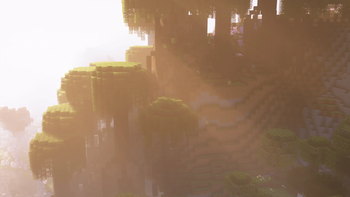 How to Install Shaders in Minecraft (Iris & OptiFine Guide)How to install shaders in Minecraft with Iris + Sodium or OptiFine, step by step, plus fixes for black screens, low FPS and missing shader packs.
· 5 min read
 Fabric vs Forge vs NeoForge: Which Mod Loader Should You Use?Fabric vs Forge vs NeoForge compared: history, performance, mod support and a count of which loaders the most popular mods on ModTorch support.
· 4 min read
How to Fix Minecraft Crashing With Mods (Exit Code 1 and More)Fix Minecraft crashing with mods step by step, from exit code 1 and missing Fabric API to wrong loader, Java version, duplicates and latest.log.
· 5 min read
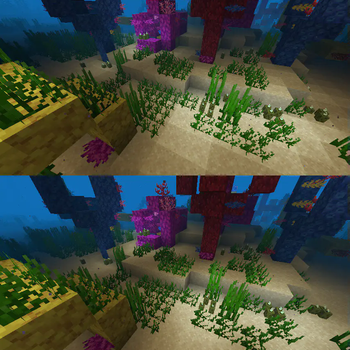 Best Minecraft FPS Mods for Low-End PCs (Performance Guide)The best Minecraft FPS and performance mods for low-end PCs: Sodium, Lithium, FerriteCore, Entity Culling, ModernFix, plus which loader each needs.
· 5 min read