

What Are They Up To (Watut)
Mod · by Corosus · 16.2M downloads · Minecraft 26.2
About
What Are They Up To (Watut) is a Minecraft Java mod for social and utility, made for Fabric, NeoForge, and Forge, supporting versions 1.16.5 to 26.2. It is developed by Corosus and has 16.2M downloads on Modrinth.
Gallery
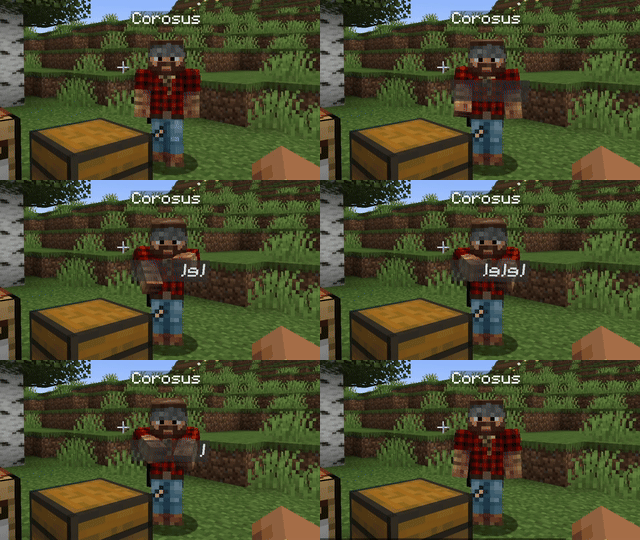
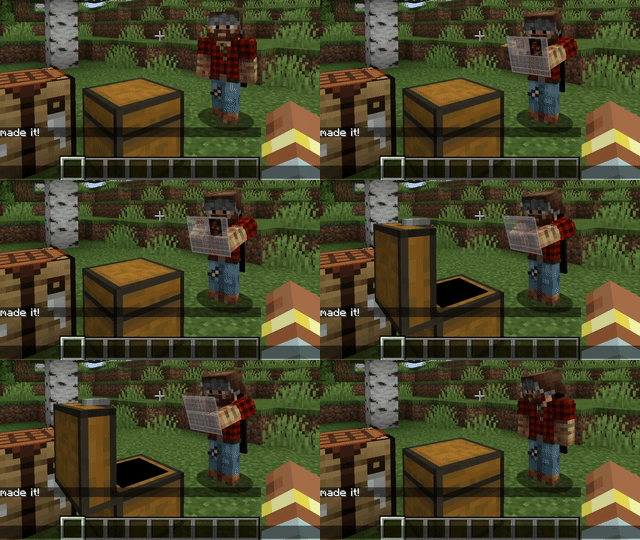
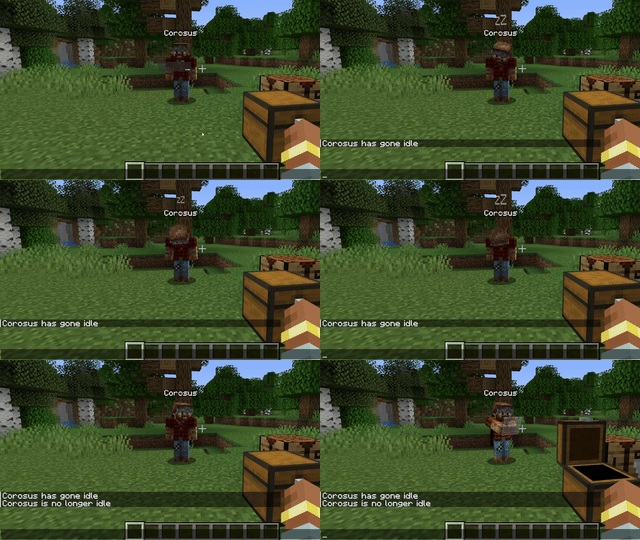
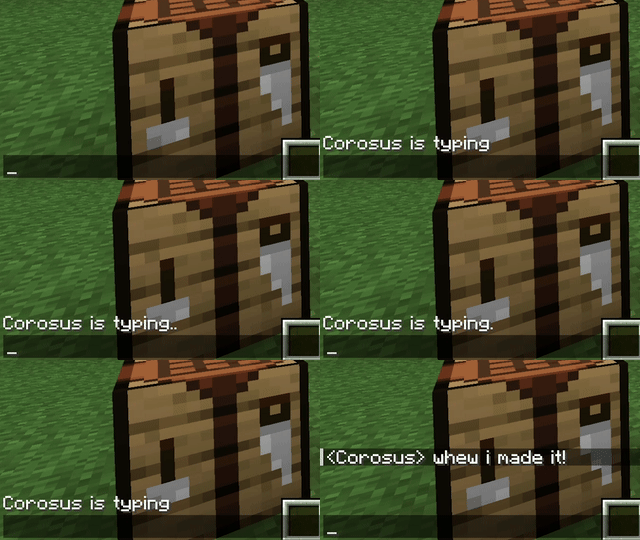
Downloads by version
| Minecraft | Loader | Mod version | File | |
|---|---|---|---|---|
| 26.2 | NeoForge | 26.2-1.2.8 | 0.4 MB | Download |
| 1.21.4 | Fabric | 1.21.4-1.2.5 | 1.0 MB | Download |
| 1.21.4 | NeoForge | 1.21.4-1.2.5 | 0.4 MB | Download |
| 1.21.3 | Fabric | 1.21.3-1.2.4 | 1.0 MB | Download |
| 1.21.3 | NeoForge | 1.21.3-1.2.3 | 0.4 MB | Download |
| 1.21.1 | Fabric | 1.21.0-1.2.7 | 0.8 MB | Download |
| 1.21.1 | Forge | 1.21.0-1.1.3 | 0.3 MB | Download |
| 1.21.1 | NeoForge | 1.21.0-1.2.7 | 0.4 MB | Download |
| 1.21 | Fabric | 1.21.0-1.2.7 | 0.8 MB | Download |
| 1.21 | Forge | 1.21.0-1.1.3 | 0.3 MB | Download |
| 1.21 | NeoForge | 1.21.0-1.2.7 | 0.4 MB | Download |
| 1.20.6 | Fabric | 1.20.6-1.1.3 | 0.7 MB | Download |
| 1.20.6 | Forge | 1.20.6-1.1.3 | 0.3 MB | Download |
| 1.20.4 | Fabric | 1.20.4-1.1.3 | 0.7 MB | Download |
| 1.20.4 | Forge | 1.20.4-1.1.3 | 0.3 MB | Download |
| 1.20.2 | Forge | 1.20.1-1.0.10 | 0.1 MB | Download |
| 1.20.1 | Fabric | 1.20.1-1.2.3 | 0.8 MB | Download |
| 1.20.1 | Forge | 1.20.1-1.2.3 | 0.4 MB | Download |
| 1.20.1 | NeoForge | 1.20.1-1.2.3 | 0.4 MB | Download |
| 1.19.4 | Fabric | 1.19.4-1.0.14 | 0.5 MB | Download |
| 1.19.4 | Forge | 1.19.4-1.0.14 | 0.2 MB | Download |
| 1.19.2 | Fabric | 1.19.2-1.0.14 | 0.6 MB | Download |
| 1.19.2 | Forge | 1.19.2-1.0.14 | 0.2 MB | Download |
| 1.18.2 | Forge | 1.18.2-1.0.14 | 0.2 MB | Download |
| 1.16.5 | Fabric | 1.16.5-1.0.14 | 0.5 MB | Download |
| 1.16.5 | Forge | 1.16.5-1.0.14 | 0.2 MB | Download |
How to install this mod
- Install Fabric for the Minecraft version you play.
- Pick your Minecraft version + loader in the table above and click “Download” to get the .jar.
- Open
.minecraft/mods(Windows: type%appdata%\.minecraftin the address bar) and copy the file there. - Start the launcher, choose the Fabric profile and press Play.
💬 Comments
🔗 Works well with

✨ You might also like

Simple Voice Chat
by henkelmax
A working voice chat in Minecraft!

No Chat Reports
by Aizistral
Makes chat unreportable (where possible)

Essential Mod
by SparkUniverse
Enhance your Minecraft with one simple mod. Host worlds for free, chat with friends, and so much more!

More Chat History
by JackFred
Increases the maximum length of chat history.

e4mc
by vgskye
Open a LAN server to anyone, anywhere, anytime.

NetherPortalFix
by BlayTheNinth
Ensures correct destinations when traveling back and forth through Nether Portals in Multiplayer.