

Bliss Shaders
Shader · by Xonk · 16M downloads · Minecraft 26.3
What makes Bliss different?
Bliss is a heavily reworked version of Chocapic13's V9 shaders, built by an author who wanted to push that base towards his own visual ideas. The result leans fantasy rather than photorealism: soft, glowing light, thick atmospheric fog and skies that change a lot from scene to scene. Its focus is variety and control – weather, time of day and biome all shift the mood, and the settings menu lets you reshape almost every part of it.
Tagged features include volumetric-style atmosphere, coloured lighting, bloom, reflections, PBR support and shadows, with presets spanning low to high.
Requirements
- Iris is the recommended loader; OptiFine might also work.
- Minecraft 1.17 or newer.
- AMD, Intel and NVIDIA graphics are supported. Apple devices have limited support.
- Client only – install it in your own shaderpacks folder; servers are not involved.
Who should try it?
Players who build atmospheric bases, record cinematic footage or take screenshots will get the most out of Bliss. If you want something lighter that still looks good, compare it with Complementary Reimagined or Solas.
FAQ
Does Bliss Shaders work on Mac?
Only partly. The author notes that Apple devices have limited support because of OpenGL version restrictions, so expect missing effects or errors on macOS.
Should I use Iris or OptiFine for Bliss?
Iris is the loader the author lists first. OptiFine may work, but Iris is the safer choice.
Which Minecraft versions does Bliss support?
Bliss is designed for Minecraft 1.17 and newer, and builds are listed up to 26.3.
Gallery
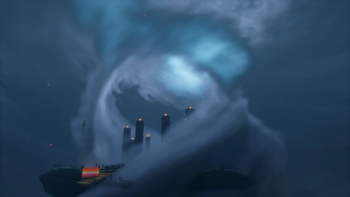
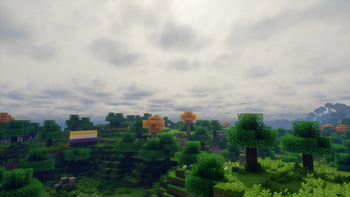
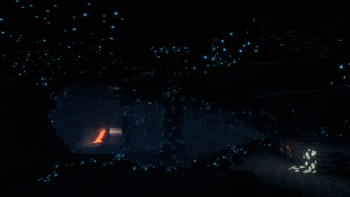
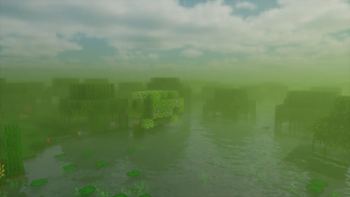
Downloads by version
🛡 Files are downloaded directly from Modrinth’s servers – we never modify or rehost them. Modrinth ↗
How to install this mod
- Install Iris (with Sodium) or OptiFine – Iris runs on Fabric/NeoForge.
- Click “Download” to get the .zip – do not unzip it.
- Copy it into
.minecraft/shaderpacks. - In game: Options → Video Settings → Shader Packs → select the shader.
💬 Comments
✨ You might also like

Complementary Shaders - Unbound
by EminGT
Transforming the visuals of Minecraft with exceptional quality, detail, and performance.

Solas Shader
by Septonious
A modern fantasy stylized shaderpack with colored lighting and stunning visuals

Bloop Shaders
by espen96
A shader aimed at maximum speed while maintaining good visuals. Scalable from low to high end computers.

RedHat Shaders
by mlgimposter
A shaderpack based on older versions of Chocapic13 Shaders.

Arc
by Null
An attempt at a mostly realistic shader that maintains decent performance; for Minecraft Java.

Allium Shaders
by clorece
Allium, a Complementary Unbound edit. Push creativity to it's limits.