
How to Install a .mrpack Modpack (Modrinth App, Prism, Server)
Downloaded a .mrpack file and not sure how to open it? Install Modrinth modpacks with the Modrinth App, Prism Launcher or on a server, step by step.
You found a modpack you like, clicked download, and ended up with a file called something like Vanilla-Perfected-26.3.mrpack. Double-clicking it does nothing, and the Minecraft Launcher doesn't recognise it. This guide explains what that file is and the three easiest ways to turn it into a game you can actually play – on your own PC or on a server for friends.
What is inside a .mrpack?
A .mrpack is Modrinth's modpack format. It's a small archive (usually under 1 MB) that contains:
modrinth.index.json– the recipe: which Minecraft version and loader (Fabric, NeoForge, Quilt…) to use, and a list of every mod with its download address, file size and checksum.- An
overridesfolder – config files, resource packs or default options the author wants applied. - Each file in the list is also tagged as required, optional or unsupported on the client and the server.
Because the mods themselves are not inside, the file is tiny – the launcher fetches each mod from its original source and verifies it. That's also why the format is safe to share: you always get the author's original files.
Browse all modpacks on ModTorch if you are still choosing one.
Method 1: Modrinth App (easiest)
The Modrinth App is Modrinth's own launcher and handles .mrpack files natively.
- Install the app from modrinth.com/app and sign in with your Microsoft account so it can launch Minecraft.
- Click the + button to create an instance, switch to From file, and select your
.mrpack. On most systems you can also simply drag the file onto the app window. - Wait while it downloads the loader and every mod. Large packs can take a few minutes.
- Press Play.
The app keeps each modpack in its own instance, so packs for different Minecraft versions never mix.
Method 2: Prism Launcher (most control)
Prism Launcher is a free, open-source launcher popular with players who run many packs.
- Click Add Instance → Import.
- Choose your
.mrpackfile (you can also paste a link to it). - Prism reads the index, installs the right loader and downloads the mods.
- Before the first launch, open the instance Settings → Java and check two things: the Java version (Minecraft 26.x needs Java 25 – see our Java 25 guide) and the maximum memory.
ATLauncher and MultiMC can import .mrpack files in a similar way.
Method 3: Without a launcher (not recommended)
If you really want to use only the official launcher, you can rename the file to .zip and open it. You will need to:
- Install the loader version named in
modrinth.index.json(for Fabric, use the installer from fabricmc.net/use). - Download every mod listed in the index – often 50 to 300 files – and put them in your
modsfolder. - Copy the contents of
overridesinto your game folder.
It works, but it is slow and easy to get wrong. Community tools such as jdMrpackInstaller automate it, yet for most players Method 1 or 2 is simply quicker.
How much memory should a modpack get?
Memory is the most common reason a freshly installed pack crashes or freezes. Rough guide:
| Pack size | Suggested maximum memory |
|---|---|
| Performance / vanilla-plus packs (under ~100 mods) | 3–4 GB |
| Medium content packs (100–200 mods) | 5–6 GB |
| Large tech or adventure packs (200+ mods) | 6–8 GB |
More is not always better – giving Java more than it needs can cause longer pauses. If your PC has 8 GB in total, stay at 4 GB or below. Lightweight memory mods like FerriteCore help a lot; many packs already include it.
Picking a pack that works on your version
The pack decides the Minecraft version for you, so check it before downloading. On 25 November 2026, 30 of the 150 most downloaded modpacks in our catalog already offered a full (non-beta) 26.3 release, and every one of them had a Fabric build. Two good starting points:
Vanilla Perfected keeps the game looking like Minecraft while adding performance and quality-of-life mods, and it already has a 26.3 build.
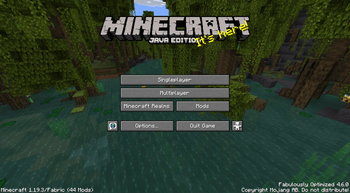
Fabulously Optimized is the best-known performance pack. When we checked, its 26.3 version was still a beta; pick the 26.2 release in the file list if you prefer a stable build.
Planning to play together? See the best modpacks to play with friends.
Putting a modpack on a server
Players joining your server need the same pack version. On the server side:
- Install the same Minecraft version and loader (server versions of Fabric or NeoForge).
- Copy only the mods marked as needed on the server. Client-only mods – shaders, minimaps, HUD tweaks – are marked "unsupported" on the server in the index and can crash it if you include them.
- Copy the pack's config files from
overrides.
Many pack authors publish a ready-made server pack; check the pack's page first. If you host with Docker, the widely used itzg/minecraft-server image can install a Modrinth modpack for you and skips client-only files automatically.
Adding your own mods to a pack
You can drop extra mods into the instance's mods folder, but:
- They must match the pack's Minecraft version and loader exactly.
- Updating the pack later may remove or replace files – note what you added.
- If something breaks, remove your additions first before blaming the pack.
Troubleshooting
- "Incompatible mods found!" – a mod you added doesn't match the pack's version, or a library is missing. Remove your extra mods and try again.
- Crash before the title screen on 26.x – the instance is using Java 21 or older. Switch it to Java 25.
- Stuck at 0% or download errors – a mod host was temporarily unavailable. Retry the install; launchers resume where they stopped.
- Very low FPS – the pack may not include performance mods. Our FPS mods guide lists which ones to add.
Once the pack runs, you can update it from the same launcher when the author releases a new version – just remember to back up your worlds first.
FAQ
What is a .mrpack file?
It is the modpack format used by Modrinth. Inside is a list of every mod with its download link and checksum, the Minecraft and loader versions, plus any config files the pack author included. A launcher reads that list and downloads everything for you.
Can I open a .mrpack with the official Minecraft Launcher?
Not directly. The official launcher has no modpack import. Use the Modrinth App, Prism Launcher, ATLauncher or MultiMC, which create a ready-to-play instance from the file.
Can I just rename .mrpack to .zip?
You can open it that way, but you will only find the mod list and config files, not the mods themselves. You would have to install the loader and download every mod by hand, which is why a launcher is the better choice.
How do I put a modpack on a server?
Install the same Minecraft, loader and mod versions on the server, but leave out client-only mods. The .mrpack marks each file as required, optional or unsupported on the client and server, and server tools such as the itzg Docker image can read that automatically.
Why does my modpack crash on launch?
The usual causes are too little memory, the wrong Java version, or adding extra mods that don't match the pack's Minecraft version. Give the instance at least 4–6 GB of RAM for medium packs and check the pack's Java requirement.
💬 Comments
🧩 Featured in this article

FerriteCore
by malte0811
Memory usage optimizations

Vanilla Perfected
by demonjoeTV
A compilation of Vanilla Plus mods & packs to perfect the Minecraft experience without drifting too far from the feel of the base game!

Fabulously Optimized
by robotkoer
Beautiful graphics, speedy performance and familiar features in a simple package. Wilderness Bound beta!
📚 Related articles
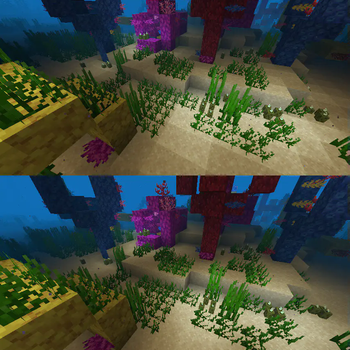 OptiFine Alternatives for Fabric – Every Feature, Mapped (26.3)Replace OptiFine on Fabric feature by feature – FPS, shaders, zoom, connected textures, dynamic lights, CEM, CIT – and see which mods already work on 26.3.
· 5 min read
 Best Minecraft Modpacks 1.21.1 – Ready-Made Packs by PlaystyleBest Minecraft modpacks 1.21.1 grouped by playstyle – performance packs, vanilla-plus, Pokémon and adventure – with who each pack is really for.
· 4 min read
Best Minecraft Mods 1.20.1 – Loader-by-Loader Picks for TodayBest Minecraft mods 1.20.1 split by loader – Fabric, Forge and NeoForge – with performance, library and quality-of-life picks and honest caveats.
· 4 min read
Best Minecraft FPS Mods for Low-End PCs (Performance Guide)The best Minecraft FPS and performance mods for low-end PCs: Sodium, Lithium, FerriteCore, Entity Culling, ModernFix, plus which loader each needs.
· 5 min read